¿Qué es?
Juega a piedra, papel o tijera con tu micro:bit y escucha los efectos de sonido de los diferentes objetos. Los alumnos aprenderán sobre la aleatorización y la selección realizando este divertido proyecto.
Cómo funciona
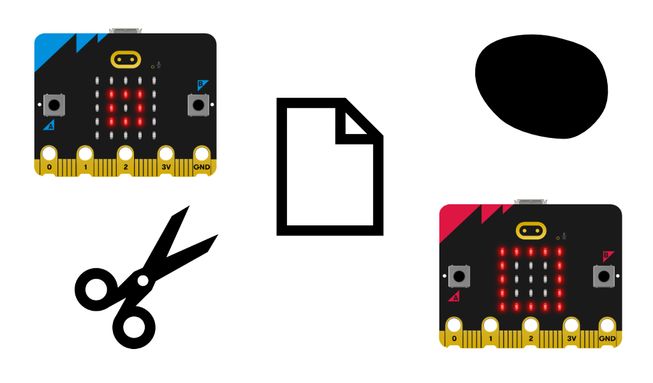
- Piedra, papel o tijera es un juego de azar para dos personas. Tú y tu compañero sacudís los puños tres veces y luego hacéis un gesto aleatorio para mostrar piedra (puño), papel (mano abierta) o tijeras (forma de tijera). La piedra vence a las tijeras, las tijeras vencen al papel y el papel vence a la piedra.
- Este programa permite al micro:bit elegir por ti entre piedra, papel o tijera. Descarga el programa en dos micro:bits y conecta dos paquetes de baterías. A continuación, tú y tu compañero debéis agitar vuestros micro:bits para ver aparecer dos imágenes aleatorias, una en cada micro:bit.
- También escucharás diferentes efectos de sonido para piedra, papel y tijeras. Una piedra hace un sonido «triste», el papel hace un sonido «hola» y las tijeras hacen un sonido «misterioso».
- El programa utiliza una variable llamada «tool». Las variables son contenedores para almacenar datos, a los que se puede acceder y actualizar mientras se ejecuta un programa. La variable «tool» se utiliza para almacenar números aleatorios.
- When the micro:bit accelerometer detects a shake movement, it sets the variable ‘tool’ to a random number: 0, 1 or 2. The program uses 0 because computers start counting at 0.
- The program uses selection to decide what image to show on the LED display and what expressive sound to play.
- If the random number was 0, it shows a rock icon (a small square) and plays the ‘sad’ sound. If it was 1, it shows the icon representing paper (a square) and plays the ‘hello’ sound. If it wasn’t 0 or 1, it must be 2 because we instructed the micro:bit to only pick random numbers between 0 and 2, so in that case it shows scissors and plays the 'mysterious' sound.
Lo que necesitas
- un micro:bit V2
- Editor de MakeCode
- paquete de pilas
Programa tu proyecto
Aquí tienes los bloques que necesitas para realizar el proyecto - ahora, únelos.
Instrucciones paso a paso
- Abre el proyecto para encontrar los bloques que necesitas usando los botones de arriba.
- Find the pick random 0 to 2 block and put it onto the 0 in the set tool to 0 block.
- Get the set tool to pick random 0 to 2 block and put it inside the on shake block. Now when you shake your micro:bit, it will pick a random number between 0 and 2 and store it in the tool variable.
- Now you need to write the code that relates to selection. Get the if then else block and put it inside the on shake block under the set tool to pick random 0 to 2 block.
- Get the show icon small square block and put it under if tool = 0 then in the if then else block.
- Then find the play sad until done block and put it directly under the show icon small square block. Now your micro:bit will show a small square or rock and play the ‘sad’ sound if the random number chosen is 0.
- Now find the show icon square block and put it under else if tool = 1 then in the if then else block.
- Get the play hello until done block and put it directly underneath the show icon square block. Now your micro:bit will show a square and play the ‘hello’ sound if the random number chosen is 1.
- Next get the show icon scissors block and put it under else in the if then else block. Put the play mysterious until done block directly underneath that. Now your micro:bit will show a scissors icon and play a ‘mysterious’ sound when the random number chosen is 2.
Make it your own
- Choose your own expressive sounds to play for the different objects by using the drop-down in the play sound until done blocks. Hay 10 para elegir.
- Use other icons from the show icon block such as the giraffe, duck, skull and ghost by using the drop-down option. Invent new rules for the game.
Ejemplo de un proyecto terminado
Take a peek at some completed code.
Proyectos relacionados
Este proyecto forma parte de una colección de proyectos inclusivos para estudiantes con discapacidad visual.